The last nap ended hours ago. OBubba shows a medium- or high-priority card:
“Next sleep is getting overdue.”
Has the app detected overtiredness? Does “overdue” mean the baby must sleep immediately? Is the card using the same personalised calculation as the next-nap clock?
Not exactly.
We traced the current live interpreter, its day-state caller, wake-window table, sleep-anchor helpers and automated tests. The card is a time-based prompt with a generous grace period. It does not watch the baby, diagnose a sleep problem or prove that staying awake caused the next difficult night.
The honest translation is:
> “Since the latest completed nap or sleep anchor, the logged awake time has run more than 45 minutes beyond the current upper wake-window range. It is still before 6pm and the app has not seen sleep or bedtime. Consider a calm sleep opportunity, while following your baby’s cues and needs.”
The short answer
| Question | Current behaviour | |---|---| | What starts the timer? | Usually the end of the latest completed nap; otherwise a completed sleep or morning wake can provide the awake anchor | | Which range does it use? | A corrected-age wake-window range, with any parent-selected wake-window bias applied | | When does this exact card appear? | After at least one completed nap, when awake time is strictly more than the upper range plus 45 minutes and the clock is before 6pm | | When is it high priority? | When awake time is more than the upper range plus 75 minutes | | Does it read tired cues? | No | | Does it use the full personalised nap predictor? | No; that is a separate, richer pathway | | Does it account for illness, nursery, travel or feeding in this function? | No | | When does it stay quiet? | When baby is asleep, bedtime is logged, no anchor exists, a night wake is actively paused or the parent explicitly selected a napless day | | Is “overdue” an instruction to force sleep? | No |
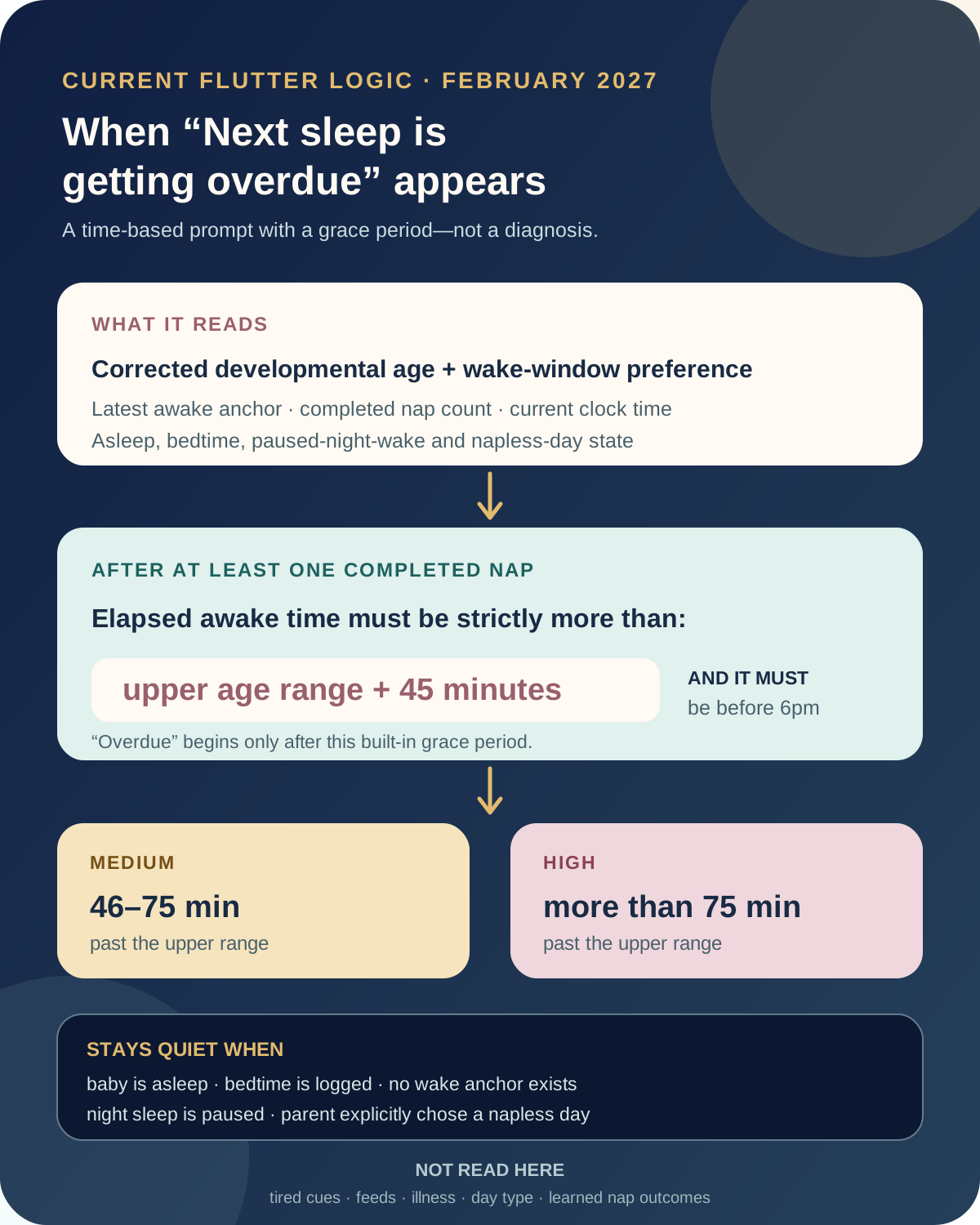
“Overdue” starts after a grace period
The card does not appear as soon as the upper wake-window value passes.
For the after-nap branch, requires:
- at least one completed nap today;
- a known end time for the last completed nap;
- a current awake duration greater than the range maximum plus 45 minutes;
- a current time before 6pm;
- no active sleep and no bedtime already logged.
The comparison is strict. If the upper range is 200 minutes, 245 minutes awake is still quiet. The card becomes eligible at 246 minutes.
Its urgency then follows the same range:
- medium: more than 45, but no more than 75, minutes beyond the upper value;
- high: more than 75 minutes beyond it.
Those labels describe how far the log has moved beyond a product threshold. They do not grade the baby’s condition. A cheerful baby 76 minutes beyond the range does not become medically “high urgency”, and a struggling baby inside the window still deserves a responsive change of pace.
Which clock starts the awake time?
The current caller asks `awakeAnchorMin` for the best available current-day anchor.
It prefers the latest end among completed naps. Overlapping partner logs are merged so one shared nap is not mistaken for two, and a start–stop mistake shorter than five minutes is not treated as a real completed nap.
If no completed nap exists, a completed sleep entry can reset the anchor. Otherwise the earliest non-night morning wake—or the end of the completed night sleep—can start the day.
For this exact Next sleep branch, the card also needs at least one completed nap and names that nap’s end in its sentence:
> “Since the last nap ended at 1:00pm, Oliver has been awake about 4h 30m…”
This means accurate boundaries matter. An approximate nap end shifts the entire comparison. An open nap has no completed end, and the app treats the baby as still asleep, so the overdue card stays quiet rather than guessing.
The range is developmental—but not fully personalised
The live interpreter calls OBubba’s age-staged wake-window table. For a baby born prematurely, the caller uses corrected developmental age. The table blends across age boundaries over roughly two weeks so a birthday does not create a sudden 45-minute jump.
If a parent has adjusted the wake-window preference, that bias is included. It is clamped within safety rails rather than allowed to move without limit.
But this card does not use the full next-nap predictor.
The richer predictor can consider signals such as:
- the nap number;
- recent matching nap history;
- whether the last nap was short or long;
- how the baby woke and how the nap went;
- day context and recovery;
- circadian timing;
- a chosen sleep-consultation plan;
- learned calibration and prediction confidence.
The overdue card reads the simpler age range plus preference. As a result, the next-nap clock and this card can be based on different evidence. They should usually tell a coherent story, but they are not the same calculation.
That is an important product boundary. “Personalised nap prediction” is true of the predictive pathway; it should not be implied for every live timing card.
What the function does not know
This detector does not receive:
- yawning, gaze aversion, rubbing eyes or escalating fussiness;
- hunger or the time of the last milk feed;
- fever, pain, teething or illness;
- whether the family is travelling or at nursery;
- light, noise, motion or the sleep location;
- whether this particular baby usually thrives on a longer final window;
- whether the parent has already tried and abandoned the nap.
It knows a corrected age, a range, the current time and a few logged state flags.
The NHS says babies have their own patterns of waking and sleeping and that those patterns change as they grow. A timer can help a tired parent notice elapsed time; it cannot replace the child in front of them.
The NHS’s Understanding your baby guidance describes cues such as yawning, turning away and closing the eyes as signs a baby may need a break, feed or sleep. Those observations are information the current function does not have.
Why the app sometimes says nothing
Silence is deliberate in several states.
Baby is asleep
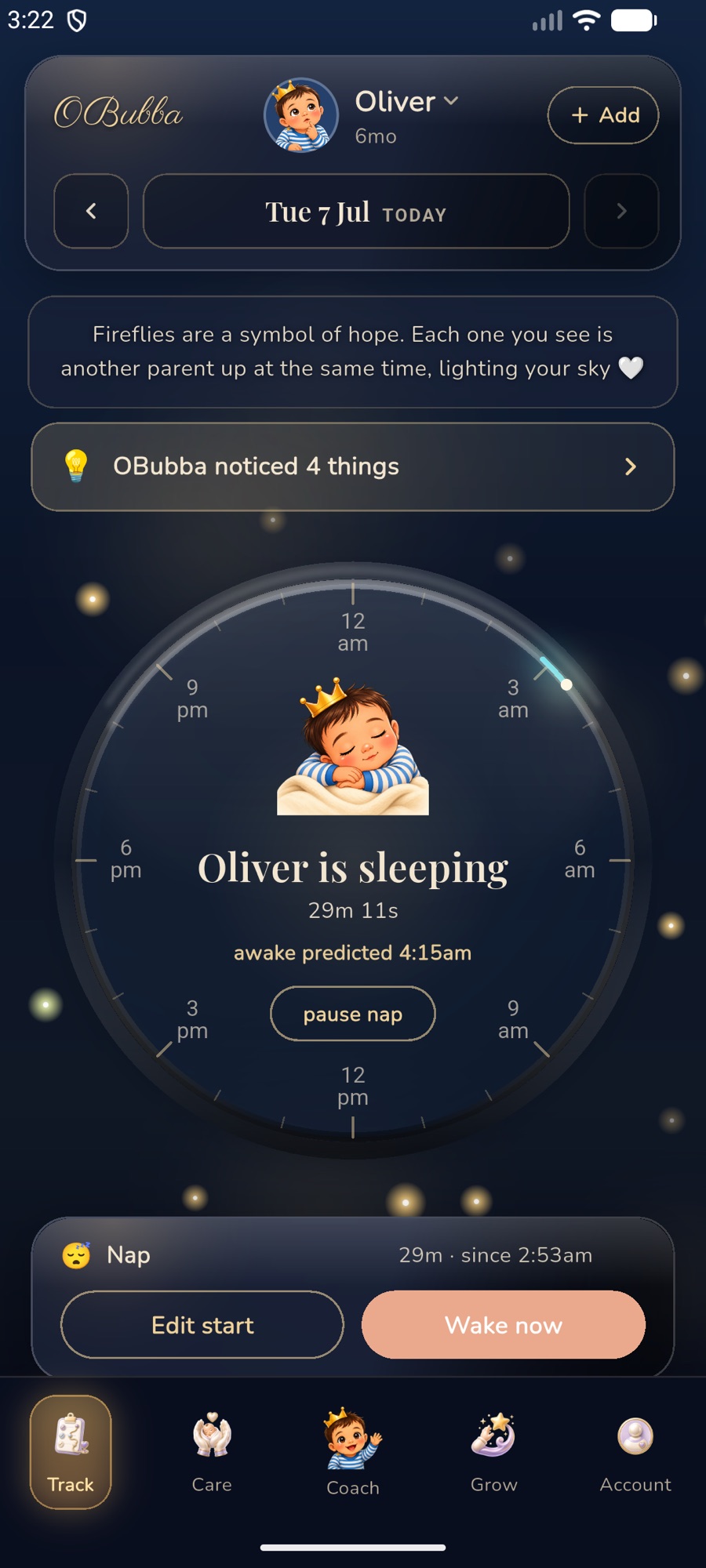
An open nap or sleep timer, or a sleep interval that spans the current time, suppresses the card. OBubba does not warn that a sleeping baby is overdue for sleep.
Bedtime is logged
Any sleep entry at or after 5pm is treated as bedtime for this gate. Once that exists, the live daytime interpreter returns nothing even before 6pm.
A night wake is actively paused
During an open night-wake pause, the baby is awake—but this is not a daytime wake window. The caller skips the whole live daytime read so a 2am resettle never becomes “nap overdue”.
No trustworthy anchor exists
Without a morning wake or completed sleep boundary, elapsed awake time is unknown. The detector stays quiet rather than treating midnight or the first app launch as the start.
The parent chose a napless day
When the explicit nap-count override is zero, no nap can be overdue. This protects an older toddler whose family has intentionally moved past naps.
If no override was set, however, the age default still applies. A toddler who has dropped naps but whose settings still expect one may receive a prompt that no longer fits. Correcting the nap target is better than repeatedly dismissing the card.
The first nap follows a different branch
Before any nap has happened, the same function can produce a sibling card:
“A nap may have slipped past the window.”
That morning branch uses slightly different rules:
- no completed naps today;
- awake time more than the upper range plus 35 minutes;
- current time from 9am up to, but not including, 5pm;
- high urgency after more than 60 minutes beyond the upper range.
It runs first. After a nap, the 45-minute Next sleep branch takes over. Later branches can explain a late nap, too much day sleep or too little day sleep, but this function returns only the first matching message. One card is intended to identify the most immediate timing issue rather than listing every possible interpretation of the day.
“Overtired” is a hypothesis, not a measured state
The current explanation says an overdue nap or earlier bedtime can stop the day snowballing into a harder night. The first-nap version goes further, saying overtiredness makes naps shorter and nights worse.
That may describe many real days, but this calculation does not prove it for the day in question. It does not compare tonight with matched nights, measure stress or observe settling. It only knows that a time threshold passed.
A baby beyond the range may be:
- genuinely tired and ready for a quick wind-down;
- hungry before sleep;
- unusually alert after an excellent nap;
- uncomfortable, teething or unwell;
- resisting because the sleep environment changed;
- transitioning between nap counts;
- following a naturally longer window than the age starting point.
The card should therefore invite a sleep opportunity, not announce a cause.
How to respond without forcing a nap
- Look at the baby before the clock. Notice whether they are turning away, becoming still, yawning, rubbing their eyes, fussing or seeking closeness.
- Check the log boundary. Confirm the last nap really ended at the time shown. Correct a forgotten or approximate timer if needed.
- Check basic needs. Hunger, a wet or dirty nappy, temperature, pain and illness can all change what is needed next.
- Lower stimulation. Move somewhere quieter, dim the room and repeat the familiar wind-down.
- Offer sleep; do not battle for it. If the baby is calm and clearly not ready, take a short reset and try again rather than turning the threshold into a deadline.
- Use a flexible fallback. Earlier in the day, a rescue or contact nap may help. Near the end of the day, an earlier bedtime may fit better than a late full nap.
- Keep sleep safe. For every sleep, place baby on their back in a clear cot or Moses basket with a firm, flat mattress. The NHS safer-sleep guidance advises room-sharing for the first six months.
For a newborn, feeding and responsive care take priority over protecting a wake-window chart. NHS guidance notes that newborns wake frequently to feed and that sleep varies substantially. Do not keep a hungry baby awake—or delay a needed feed—to manufacture a neater nap time.
When the card may be wrong
Treat the message cautiously when:
- the date of birth is missing or malformed—the general engine falls back to roughly six months for non-safety age reads;
- the latest nap end was entered inaccurately;
- an evening sleep ended after the last nap—the internal awake anchor can reset later even though the sentence still names the earlier nap end;
- the baby is ill, in pain or recovering but the live function has not received that context;
- the baby’s personalised clock has already moved the nap for a good reason;
- a toddler has stopped napping but the nap-count preference was not updated;
- the family follows an individual plan from a health visitor, GP, paediatrician or sleep service.
The missing-date fallback is especially worth improving. A malformed profile should not silently inherit a six-month wake window. The app should ask for the date again or present an explicit “age unknown” state.
What this feature should improve next
The state safeguards and refusal to invent an awake anchor are strong. Five changes would make the card match OBubba’s personalised promise more closely:
- Share the predictor’s effective range. Use the same personal, contextual and nap-outcome window the clock currently shows—or explain why the simpler age range wins.
- Replace “overdue” with an invitation. “A sleep opportunity may help now” carries less deadline pressure while preserving the timely nudge.
- Show the calculation. Let parents see “upper range 3h 20m + 45m grace; awake 4h 12m” and correct the anchor.
- Add context before certainty. Illness, travel, nursery and a recently refused attempt should soften or postpone the card.
- Fix unknown-age and anchor wording. Ask for a valid birth date, and name the actual anchor used when it was a completed sleep rather than the last nap.
That would turn a useful timer threshold into a truly transparent live coach: the same evidence on the clock and the card, a visible reason for speaking now, and enough humility to let the parent’s observation lead.
Try OBubba’s live nap and awake-window tracking → — log real sleep boundaries, see the next nap adapt as the day unfolds and keep every suggestion flexible around the baby in front of you.
Frequently asked questions
How late does a nap have to be before OBubba shows this card?
After at least one completed nap, awake time must be strictly more than the current upper wake-window range plus 45 minutes.
Why is the card marked high priority?
High means the logged awake time is more than 75 minutes beyond the upper range. It is a product-priority label, not a medical assessment.
Does the app know my baby is overtired?
No. This function does not observe tired cues or measure overtiredness. It detects elapsed time beyond a threshold.
Why does the next-nap clock show a different time?
The clock’s richer predictor can use personal history, nap position, context, nap outcome and other adjustments. This live card uses the simpler age range plus any parent-selected wake-window preference.
Why did the card disappear when I started a nap timer?
An open nap makes the baby’s current state “asleep”, so the awake-window card is suppressed.
Why did it not appear after the morning wake?
Before the first completed nap, a different branch applies. It can show “A nap may have slipped past the window” after the upper range plus 35 minutes, between 9am and 5pm.
Does it work for premature babies?
The caller uses corrected developmental age when available for this sleep guidance.
Should I force a nap when the card appears?
No. Check cues and basic needs, offer a calm sleep opportunity and follow any individual care plan. A timer is context, not a command.
Ready to try OBubba?
Use OBubba to track feeds, sleep, naps, nappies, growth, milestones and family handovers in one calm baby tracker app.